A free defragmenter tool

Defraggler is a free utilities and tools app by CCleaner. It can defrag entire hard drives to speed up your computer, as well as boost its overall performance. It carefully reads and reorganizes files, so that it doesn’t accidentally corrupt all your data.

Top Recommended Alternative

Boost your PC’s overall performance

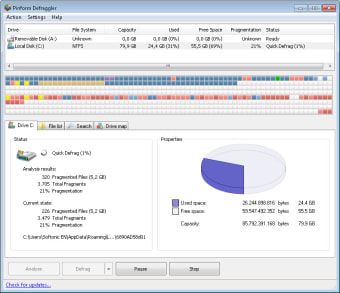
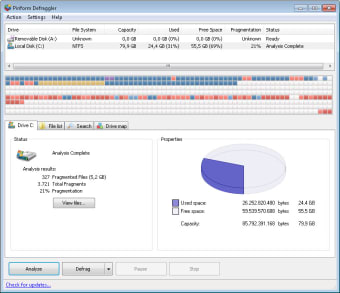
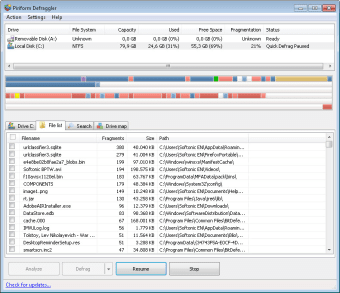
Defraggler is designed to improve hard drive performance by reorganizing fragmented files. The app also gives you full control to choose which drives, folders, and files you wish to defrag. However, it can be a bit of a nuisance navigating through its old and outdated interface.

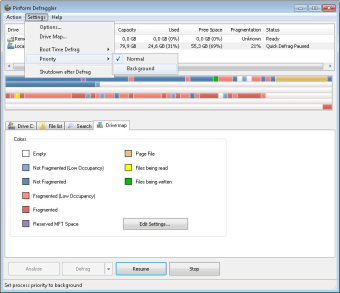
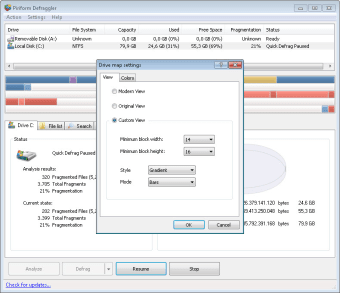
A neat feature of this software is that you can schedule defragmentations. You can set it to run daily, weekly, or monthly. If you’re a busy person, you can set it during your sleeping hours, so that you can wake up with a faster PC to start your work day.

Recommended for its flexibility

Overall, Defraggler is a reliable defragmenter tool that carefully defrags your hard drive. Instead of using your PC’s built-in defrag tool, this app does all the hard work. The freedom to choose which folders to defrag and the fact that you can schedule defragmentations make it a very flexible app.


  • Pros

    • Full control over which folders and drives to defrag
    • Scheduled defragmentations
  • Cons

    • Outdated interface
 0/6

App specs

Program available in other languages


Icon of program: Defraggler

Defraggler for PC

  • Free
  • 4
    1248
  • 209.2K
  • V2.22.995

User reviews about Defraggler

4

10 reviews

Add review

Main reviews for you

  • Anonymous user

    Defraggler is one hell of a usless program! Takes days to run where MS Defrag only takes a few minutes!

  • Anonymous user

    So slow that it's basically useless. It takes DAYS to clean up a single hard drive, when it shouldn't take more than an hour or so.

  • Anonymous user

    Previous version - great; latest versions - worthless!. Terrible! I can't get it to give me less than 30% fragmentation, no matter how I tweak the settings. Pros: Nothing! Cons: Whatever it was in the previous versions that worked so well.

  • Anonymous user

    Realy good software fast and secure.. This software is pretty good is speeded up my pc alot actualy great work from the releasers Pros: And lots of tools to optimise you'r disk Cons: It need a little more work on the user interface

  • Anonymous user

    Once good, now slowed to a ridiculous slow crawl. I've been using Piriform's Defraggler for a couple of years - I started out loving it, but it's got slower & slower to the point of single (small) files taking many seconds. I've given up in exasperation and am trying out Auslogic, Smart Defrag & Ultimate Defrag Pros: ease of updateuser-Interface, display Cons: speedspeed - it's really, really slow

  • Anonymous user

    Defrag wonder. Used Defraggler on my old windows XP which was slowing down with age. I had used the windows defrag system but it never seemed to quite do the job. Then I found Defraggler on Major Geeks and thought why not. I first ran Ccleaner then Ad-Aware before Defraggler after running Defraggler I tried the windows defrag. Guess what window defrag said it did not need to be defraged. I have never got that message from windows before no matter how many times in a row I ran the windows defrag. What do you know another free software from the makers of Ccleaner that just works.Grandduke Pros: Works like it says and you can't beat the price. I love the words free on a product that really works. Cons: Cons: No complaints from this user. Some people would find fault if you signed over fort knox too them. Thank You Grandduke

More

You may also like

Alternatives to Defraggler

Explore Apps

Latest articles

Laws concerning the use of this software vary from country to country. We do not encourage or condone the use of this program if it is in violation of these laws.
Softonic

Is Defraggler safe?

100/100

Score result: Clean

This file passed a comprehensive security scan using VirusTotal technology. It is safe to download.

  • Virus free
  • Spyware free
  • Malware free
  • Verified by Security Partners

    VirusTotal logo

Scan Info

Last scan
Saturday, February 12, 2022
Scan provider
VirusTotal · Full report

File Integrity

File
dfsetup222.exe
SHA256
167b7192937b39e657def16ffb0fdbbab326f007747505d5c8785811d6b03ab8
SHA1
ca37e6361cedea61f167145b31ef0850c6ddcd77

Softonic security commitment

Defraggler has been thoroughly scanned by our advanced security systems and verified by industry-leading partners. This file comes from the official developer and has passed all our security checks, showing no signs of viruses, malware, or spyware. For more information, visit our Security and Trust Center